Graphics Cards
Find GPU Deals for Gaming PCs
Looking for a graphics card to upgrade your gaming PC or build a new one? Finding the right GPU depends on the games you play, your budget, and the kind of performance you expect from your system.
Graphics cards play an important role in gaming performance, affecting everything from frame rates and visual quality to how smoothly demanding games run. Whether you're putting together your first gaming PC or upgrading your current setup, choosing a compatible graphics card can help you get the most out of your hardware.


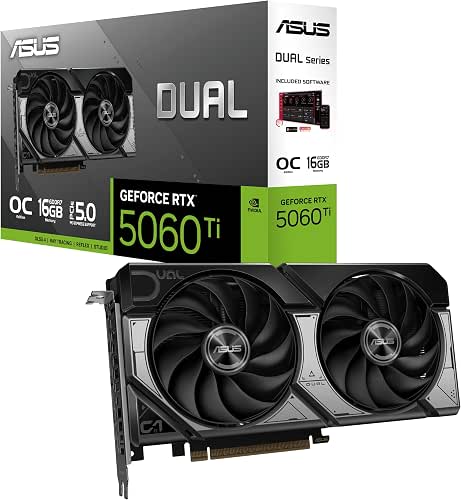


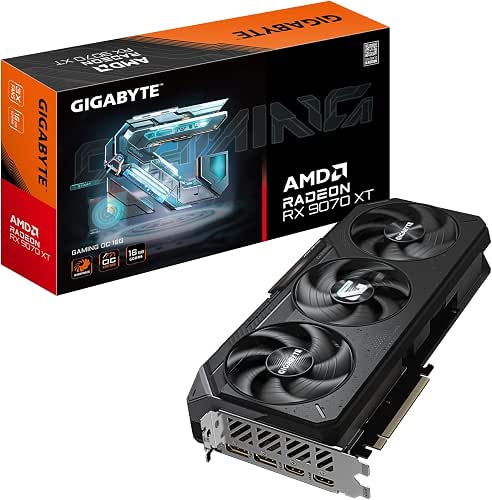
Find a Graphics Card That Fits Your Needs
Not every gamer needs the same level of graphics performance. If you mainly play esports titles, you might prioritize high frame rates and smooth gameplay. For graphically demanding games, you may want a more powerful GPU that can handle higher resolutions and detailed graphics settings.
Explore graphics cards from popular GPU families, including NVIDIA GeForce RTX and AMD Radeon, to compare specifications and find an option that suits your setup. Consider factors such as VRAM, gaming resolution, power requirements, and compatibility with your existing components before making a decision.
Choose the Right GPU for Your Budget
A good gaming graphics card isn't necessarily the most expensive one. The right choice is the one that delivers the performance you need at a price you're comfortable paying.
If you're building a budget gaming PC, upgrading an older system, or looking for better performance in newer games, comparing graphics card prices and specifications can help you make a more informed choice. Remember to check your power supply and case dimensions to ensure the card will fit and work properly with your PC.
Browse the available graphics cards at Gaming PC Discount to compare your options and find a GPU that matches your gaming requirements.
What does a graphics card do in a gaming PC?
A graphics card processes and renders the visuals displayed on your monitor. A suitable GPU can improve frame rates, image quality, and overall gaming performance.
How do I choose the right graphics card?
Start with your budget, the games you play, and your target resolution. Then compare GPU performance, VRAM, power requirements, and compatibility with your existing PC components.
Which graphics card is best for budget gaming?
The best budget graphics card depends on current prices, game requirements, and the performance you expect. Compare available entry-level and mid-range GPUs to find the best balance between cost and performance.
How much VRAM do I need for gaming?
Your VRAM requirements depend on the games you play, resolution, and graphics settings. More demanding games and higher-resolution textures may require additional video memory.
Are NVIDIA and AMD graphics cards both good for gaming?
Yes. Both NVIDIA and AMD offer graphics cards for different budgets and performance requirements. Compare benchmarks, features, power consumption, and pricing to decide which suits your needs.
Can I upgrade my graphics card without building a new PC?
In many cases, yes. However, you should check your power supply, motherboard, case clearance, and power connectors before upgrading to ensure the new GPU is compatible.
What should I check before buying a GPU?
Check the graphics card's performance, VRAM, physical dimensions, power requirements, and compatibility with your PC. It's also worth considering your monitor's resolution and refresh rate.
Is a more expensive graphics card always worth buying?
Not necessarily. A high-end GPU may offer more performance than you need. Choose a graphics card based on your games, preferred settings, and budget rather than price alone.